Apple Watch scoring
How to score tennis on Apple Watch
Last updated 5 October 2026
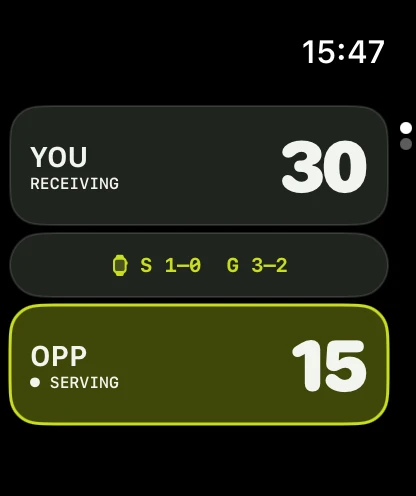
Changeovers are short. Tennismatic keeps the score, the server, and a target large enough to hit without staring at a phone on the bench.
The short version. Open Tennismatic on Apple Watch, pick format and match type, choose advantage or no-ad, set who serves, then tap Start Match. Tap the side that wins each point. Match Controls holds Undo. Scoring works offline; match scoring requires Tennismatic Pro.
Score without leaving the baseline
Fumbling a phone between points breaks rhythm and invites score disputes. A wrist scoreboard stays with the free hand while the racket hand recovers.
Tennismatic includes a watchOS app with match setup, live scoring, and a complication — the same rules engine as the iPhone app.
Set up from the watch
Before Start Match:
- Format — traditional sets and games, a standalone tiebreak, or a custom total-points match.
- Match type — singles or doubles.
- At 40–40 — Advantage or no-ad on traditional matches.
- Match length — 1 set or best of 3, with an optional super tiebreak for the deciding set.
- First serve — then tap Start Match.
Custom and tiebreak formats expose their own point targets and, for custom matches, serve interval and ending rules.
Tap each point
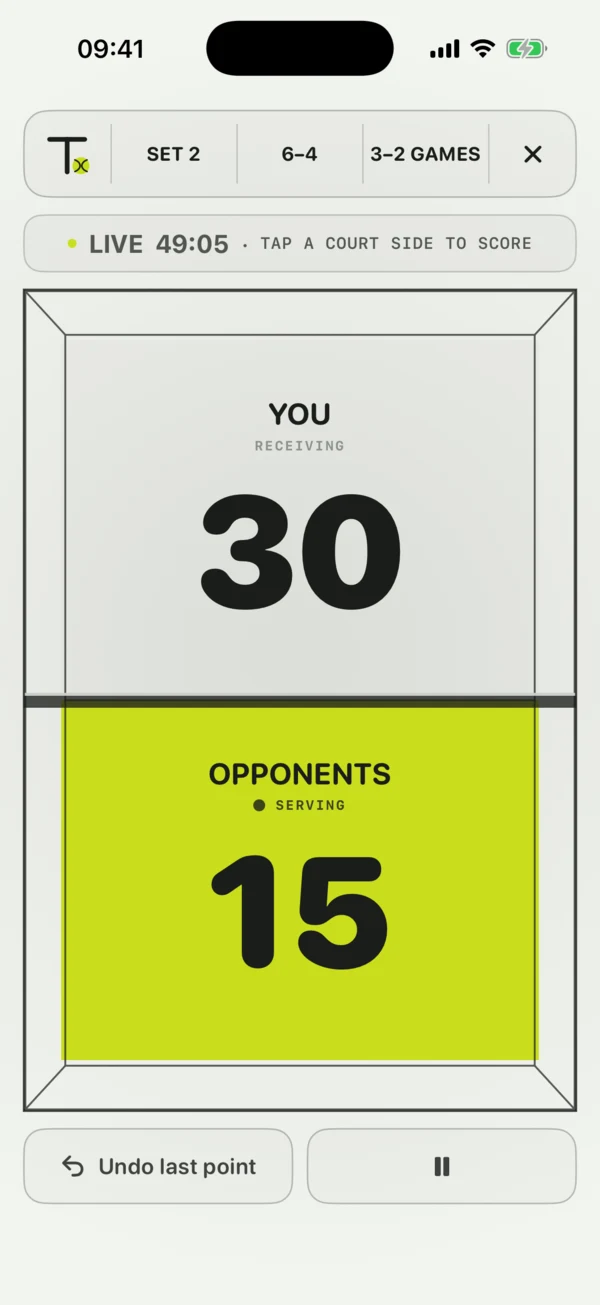
The scoreboard shows both sides with the server marked. At deuce, keep tapping individual points — Tennismatic applies the advantage or no-ad rule you chose.
When something goes wrong:
- Open Match Controls on the watch for Undo.
- If the watch shows read-only mirror, score on the device that currently controls the match.
- At 6–6 in games, the configured tiebreak starts automatically.
iPhone and Watch stay in sync
Either device may act as scoring authority when connectivity is available. Reconciliation prevents an older state from overwriting a newer finished match.
Check the status line on the watch if taps seem ignored — it states whether this Watch controls scoring or is mirroring.
Complication while the match is live
A watch-face complication can show the live score during an active match so you can glance without opening the app every point.
Finished or abandoned matches clear the complication so a stale score does not stick on the face.
Works on courts with no signal
Scoring, history, preferences, and the active match work locally offline. Sync across devices is optional when you sign in later.
There is no account wall to start scoring. Match scoring still requires Tennismatic Pro.
Wear the scoreboard
Download Tennismatic for iPhone and Apple Watch, unlock Tennismatic Pro when you are ready to score, and start from your wrist.